I created a new layer and called it Transparency, this is a simple effect where the layer gets lighter, darker or whatever colour you want. I used the transparency tool which made the sea look lighter than it originally did. This made changes to the whole image but not a massive difference.
Monday, 13 May 2013

Text tool
I used the text tool for the title of the dvd case: "Scenic views of the world.". I struggled to find a good place to put the text but ended up putting it in the sky/in the clouds. There is text on the back of the case; this is describing what is on the dvd and who created it etc.
Levels tool
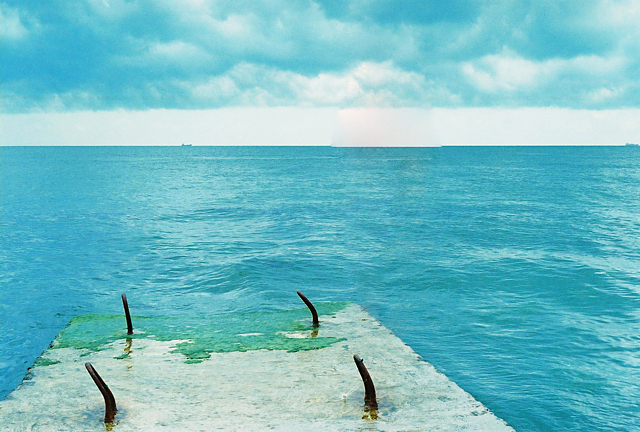
I created a new layer and called it levels, this was an effect where i played with the levels tool and made everything darker with a little matte effect. The biggest effects you can see is the rocks at the bottom/left of the picture and the yellow in the top left corner of the picture.
Gradient tool
I created a new layer in my Photoshop file and called it Gradient, this is a simple effect where the sun is shining bright in the top left corner of the picture. I used a bright yellow and dark grey, clicked the top left corner of the picture and dragged the mouse across 2 inches, this made the bright yellow effect on the screen with no massive changes to my other objects/layers in the picture.
Thursday, 9 May 2013
Dodge tool used.
The dodge tool was used on the main background to make the pixels brighter and to make the background look like it was taken in a sunny place.
Before:

After:

Before:

After:

As you can see this made the picture look a lot brighter, it also made the feel of the picture more welcoming/inviting etc.
Quick selection tool
I used the quick selection tool to remove the background from the picture with the cruise ship.


I made the cruise ship smaller and so it looked realistic and copied it onto the main background picture and placed it on the right hand side of the image.
Wednesday, 13 February 2013
Digital Imaging Software - Patch tool used
To start of with i had my original image that looked like this:

The patch tool is used for moving objects/picture selected and replacing it with other objects within the image.
I then used the patch tool which allowed me to draw round the object required, i then clicked on the image and dragged it where suited. As you can see, where the boat was has now disapeared and has been replaced with another area on the picture; also there is a darker area where the sky meats the sea and where the shadow of the boat was in the water.
I used this tool because i had never used it before and to get used to new tools before starting major assignments.
I used this tool because i had never used it before and to get used to new tools before starting major assignments.
Subscribe to:
Posts (Atom)